As an Amazon Associate, we earn from qualifying purchases. Some links on this site are affiliate links at no extra cost to you. Our recommendations are based on thorough research and editorial judgment.

Motion Sensors Vs Smart Schedules: Which Saves More Energy?

1. Motion sensors: Passive infrared (PIR) and microwave detectors detect body heat and motion across 10–12 m, enable 30 s–15 min adjustable delays, typically reducing lighting use by 50–60% through occupancy-triggered shutoffs and sensitivity tuning. 2. Smart schedules: time-based, calendar-linked routines provide predictable control, typically saving 20–30% by avoiding peak-time use and integrating geofencing. Hybrid deployment maximizes savings by combining sensors with scheduled scenes, continue for implementation details and performance metrics and comparative case studies.
Key Takeaways
- Motion sensors typically cut lighting run-time dramatically, yielding ~50–70% savings in active spaces by switching lights only when occupied.
- Smart schedules reduce baseline energy by enforcing off-times and routines, delivering up to ~30% lighting savings through predictable patterns.
- A hybrid strategy (sensors + schedules) is usually best, combining occupancy response with time rules to reach ~40%+ overall savings.
- Effectiveness depends on space type, sensor placement, calibration (sensitivity/lux), and user behavior for real-world energy outcomes.
- Compare costs, connectivity (Zigbee/Z‑Wave/Wi‑Fi), maintenance, and payback to choose the most practical, cost‑effective solution.
Understanding Motion Sensor Technology
1. Passive Infrared (PIR) sensors form the core of motion sensor technology, detecting 10–30°C differences in body heat against ambient temperature, enabling automatic lighting control when human presence is detected. 2. Microwave and hybrid detectors extend range to 10–12 meters, reducing false activations via Doppler processing, adjustable sensitivity levels and zoned coverage for targeted activation. 3. Installers should set time delay options between 30 seconds and 15 minutes, matching occupancy patterns to maximize energy savings and minimizing energy waste during low use. 4. Integration guidelines recommend devices that integrate with smart home systems through Zigbee, Z-Wave or Wi‑Fi, allowing remote configuration, data logging, and coordinated control with schedules or manual override. 5. Calibration examples: hallways at 5–8 lux, storage at 50 lux. Plug-in motion sensor lights are typically energy-efficient designs that help reduce energy use and operational costs. Recommended settings.
Recommended Products

💡𝗘𝗟𝗘𝗚𝗔𝗡𝗧 & 𝗘𝗙𝗙𝗜𝗖𝗜𝗘𝗡𝗧: Operates on just 3W to produce a beautiful accent glow, creating a seamless, built-in architectural look with minimal impact on your energy bill.
![SmartThings Hub 3rd Generation [GP-U999SJVLGDA] Smart Home Automation Hub Home Monitoring Smart Devices - Alexa Google Home Compatible - Zigbee, Z-Wave, Cloud to Cloud Protocols – White](https://m.media-amazon.com/images/I/21hChu0ounL._SL500_.jpg)
Monitor and control compatible devices in your home using a single smartphone app for your phone

4MP HD & True Color Night Vision- The security Camera Hub G5 Pro offers a 4MP Resolution with a 133° FOV and supports True Color Night Vision with a 1/1.8" sensor and f/1.0 large aperture, identifying intruders even in low-light. A Built-in 3000K DIMMABLE Spotlight functions as an intruder deterrent and improves visibility during nighttime. Note: This surveillance camera is not equipped with infrared light. No Battery.
How Smart Schedules Work
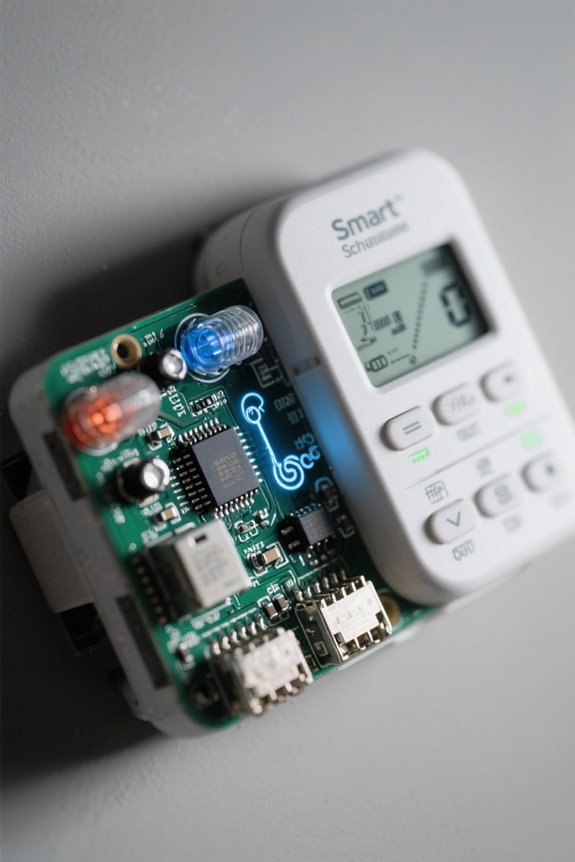
Building on motion sensor capabilities, smart schedules coordinate timing, occupancy data and geofencing to control lighting and appliances according to predefined rules and dynamic inputs. 1. System architecture: Smart schedules run on hubs or cloud platforms, integrating smart devices, calendars and sensors, enabling automated control and remote updates to reduce energy consumption. 2. Scheduling logic: Pre-set timers and adaptive routines use occupancy patterns and geo-fencing triggers, shift loads to off-peak periods, and limit lighting to required zones, yielding measured energy savings up to 30% for lighting. 3. Implementation: Configure day-type profiles, set thresholds for presence detection and location-based actions, and synchronize thermostats for energy efficiency and peak efficiency. 4. Verification: Monitor consumption with meters, adjust profiles, and document savings. Periodic reviews guarantee continued performance. Additionally, ETL/UL certification ensures that smart schedule systems comply with safety standards and are safe for use in residential and commercial settings.
Recommended Products

MOST CONNECTED: Caseta connects with more leading smart home devices - including Alexa, Apple Home, Google Assistant, Sonos, Ring, Serena shades and more - than any other smart dimmer light switch brand (Lutron Smart Hub, L-BDG2-WH, required)

PREMIUM SMART HEATER: The Smart EnviMAX 1000 watt wall mounted heater offers cutting-edge smart technology with no hub required, allowing users to control their heating remotely via the proprietary smartphone app. With features like Smart Zone heating, timer and scheduling functions, and geofencing, users can effortlessly customize their heating experience to suit their lifestyle and preferences.

PREMIUM SMART HEATER: The Smart Envi wall mounted heater offers cutting-edge smart technology with no hub required, allowing users to control their heating remotely via the proprietary smartphone app. With features like Smart Zone heating, timer and scheduling functions, and geofencing, users can effortlessly customize their heating experience to suit their lifestyle and preferences.
Mechanisms of Energy Savings: Sensors Vs Schedules

When evaluating mechanisms of energy savings, both motion sensors and smart schedules are assessed for real-time responsiveness, predictability, and measurable load reduction, typically expressed in percent savings and duty-cycle changes. 1) Motion sensors: occupancy sensors trigger automated lighting when human presence is detected, then turn off after vacancy, reducing on-time by up to 70% in effective deployments. 2) Smart schedules: preset timers control lighting and appliances according to routines, offering predictable baseline reductions but limited reaction to unexpected occupancy. 3) Hybrid strategy: combined systems use schedules for regular periods and sensors for dynamic gaps, which optimize energy and reduce false activations via advanced detection. 4) Implementation notes: calibrate timeout intervals, log percent savings, and adjust schedules to reduce energy consumption in a smart home. In 2026, many security lights for every yard incorporate motion detection with sensing ranges up to 100 feet, enhancing energy-saving capabilities by reducing unnecessary light usage.
Recommended Products

Dusk to Dawn Technology – Keep your home as efficient as possible, with dusk to dawn technology the animated flame bulb will immediately ignite when the sun starts to set

【Built-in 2 Outlet】The outdoor lights for house is equipped with two GFCI outlets (ground fault circuit interrupter), accommodating both two-pronged and three-pronged plugs. This setup provides convenient outdoor power access while also offering enhanced safeguards against power surges, short circuits, and other electrical issues.This outlet is suitable for various scenarios, including string lights, lawnmowers, BBQ grills, CCTV cameras, and other outdoor equipment.

DESIGN - ASD LED security camera outdoor wired with a motion sensor is a great way to keep your home safe at night. Side-to-side (150°) and up-and-down (180°) square rotatable light heads allow you to direct light where it is needed. It is designed to operate on 120V circuits
Real-World Performance and Case Studies

Real-world performance and case studies demonstrate measurable energy savings when motion sensors are applied in commercial and residential contexts, with studies reporting reductions in lighting energy consumption of approximately 60% in offices and about 50% in warehouses compared to fixed schedules, indicating clear benefits for smart energy initiatives. Implementation notes describe smart homes using smart schedules plus motion sensors achieving up to 40% overall energy savings, and data showing a further 35% reduction in living space energy usage when sensors augment schedules, while buildings relying solely on smart schedules often waste energy in low-use zones; therefore, targeted sensor deployment within home automation systems yields reductions in energy consumption. Case studies recommend placement mapping, sensitivity tuning, and occupancy analytics for optimized performance. LED technology can reduce energy use by up to 80% compared to incandescent bulbs, contributing significantly to overall energy savings in lighting applications.
Integration: Combining Sensors With Scheduled Automation

Section 1: Integration overview — combining passive infrared (PIR) and ultrasonic motion sensors with time-based schedules optimizes lighting control by ensuring activation only during verified occupancy windows, enforcing off-states during unoccupied scheduled periods, and adapting timeout and lux setpoints based on measured use patterns to achieve up to 70% lighting energy reduction. 1. System design: Integrate motion sensors with scheduled automation and smart switches within a smart home system, configure occupancy data logging at one-minute intervals, set PIR sensitivity and ultrasonic range to cover 5–10 meters, and program time-based scenes for typical daily routines. 2. Operational guidance: Use sensor-triggered overrides, adjust timeout to 30–120 seconds for corridors and 10–30 minutes for living areas, monitor energy savings and utility bills quarterly. Report results to stakeholders. Solar-powered motion sensor lights are a cost-effective long-term lighting solution that can be integrated into energy-efficient smart home systems, reducing electricity costs and promoting sustainability.
Installation, Compatibility, and Cost Considerations
Following the integration of motion sensors with time-based schedules, this section outlines practical requirements for installation, compatibility, and cost evaluation, identifying placement, connectivity, and return-on-investment metrics that govern system performance and user expectations. Installation: Motion sensors mount at 6 to 8 feet for ideal coverage and cost ranges from $20 to $100 per device, whereas smart switches or a home automation system may require $50 to $200 investment. Compatibility: Sensors often integrate directly with lighting and security systems, while smart schedules demand multiple smart devices and a central hub for reliable interoperability. Cost considerations: Energy savings vary, with up to 70% reduction in lighting costs from sensors, circa 30% from schedules, assess long-term costs versus initial investment and daily routines. For outdoor settings, IP65 weatherproofing ensures that motion sensors can withstand various weather conditions, enhancing durability and performance.
Recommended Products
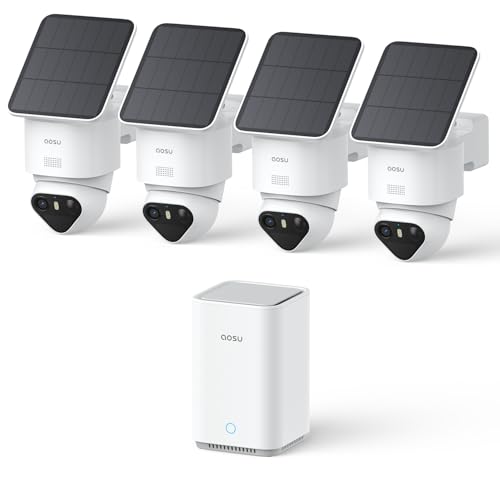
【Stunning 4K Night Vision & Smart Detection】 Each wireless outdoor security camera delivers vivid 4K TrueColor Night Vision for clear, vibrant footage, even at night without floodlights. Triple AI Detection precisely identifies people and activity while reducing false alerts—ideal for wireless security cameras outdoor monitoring.

Heavy duty! Well-built light fixture with aluminum-alloy monolithic casting extremely improves the heat dissipation to greatly increase LED illuminator and Li-battery operating life cycle.

What's Included - This purchase includes 2x Tapo VistaCam 360 with Solar Panel and 1x Tapo H500 Smart Hub with Chime. Connect the cameras with the smart hub for centralized smart home control and upgraded security features. 2.4 or 5 GHz WiFi required.
Choosing the Best Option for Your Home and Usage Patterns
One primary determinant in selecting motion sensors or smart schedules is the household’s occupancy variability, assessed against device placement, connectivity, and measurable return-on-investment metrics, with specific attention to mounting height, sensor field-of-view, and runtime. 1) Assess occupancy patterns and spaces: quantify usage by room using spot checks or smart‑meter logs, prioritize motion sensors for intermittent zones like hallways and bathrooms where mounting at 6–8 feet yields 90°–120° coverage, reserve programmable schedules for consistent spaces such as bedrooms and kitchens. 2) Evaluate technical integration: confirm Zigbee, Z‑Wave, Thread or Wi‑Fi compatibility, hub needs, latency tolerances, and automation rule reliability in smart home systems. 3) Analyze cost and performance: compute payback using device cost ($20–$200), installation, energy savings, battery life, and maintenance to reach ideal performance. Consider opting for IP65+ weatherproofing for outdoor motion sensor lights to ensure durability and effective performance in various weather conditions.
Recommended Products
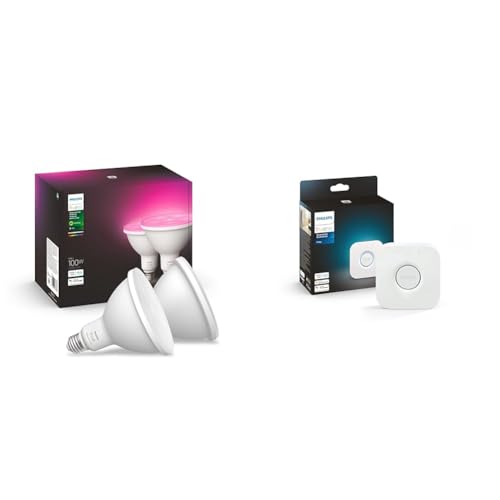
Product 1: WHAT’S IN THE BOX - Includes two White and Color Ambiance smart 100W-equivalent PAR38 outdoor color-changing light bulbs; Perfect for your porch, patio, front doors, garden, and more

Enhance your home with soft white lighting, controlled remotely wherever you are, Set timers and light schedules, automating your lights to make it seem like someone is home even when you are away

Smart Real-Time Security Notifications - Get instant notifications on your phone when a door or window is opened.
Frequently Asked Questions
Do Motion Sensors Save Electricity?
Yes, motion sensors save electricity by delivering energy savings; the installation process varies by sensor types and detection range, while maintenance costs, sensor placement, safety concerns, user experience, integration options and cost analysis influence effectiveness.
What Are Two Drawbacks of Using Motion Sensors?
Two drawbacks are false triggers causing user inconvenience, privacy concerns, sensitivity settings issues, and limited range affected by environmental factors; plus battery lifespan limits, maintenance requirements, higher installation costs, and compatibility issues in many contexts.
Are Smart Thermostats More Energy Efficient?
Yes, 10–15%: they integrate energy saving features, programmable settings, real time adjustments to align with user behavior and temperature regulation, system compatibility, energy usage analytics, lower installation costs, return on investment and eco friendly options.
How Smart Occupancy Sensors Reduce Energy Consumption?
Occupancy sensors reduce energy consumption through occupancy detection and automated lighting, delivering energy savings via adaptive algorithms learning usage patterns; system integration enhances user convenience, while installation costs and maintenance considerations influence overall environmental impact.


