As an Amazon Associate, we earn from qualifying purchases. Some links on this site are affiliate links at no extra cost to you. Our recommendations are based on thorough research and editorial judgment.

Smart Motion Lighting: How Wi‑Fi and Apps Change Outdoor Security

1) Overview: Smart motion lighting adds Wi‑Fi control, real‑time alerts, and firmware updates, enabling remote scheduling, 2.4 GHz connectivity, and voice assistant integration for perimeter security. 2) Sensors: Adjustable PIR detection ranges of 2–20 m, 120° coverage, and sensitivity settings reduce false triggers from animals. 3) Operation: Modes include motion‑triggered, dusk‑to‑dawn, and security flash with 30s–10min timers, color temperature 2700–6500K for visibility. Further sections explain setup, troubleshooting, and privacy considerations. Consult guide for implementation details.
Key Takeaways
- Wi‑Fi connectivity enables remote control, real‑time monitoring, and over‑the‑air firmware updates for outdoor motion lights.
- Mobile apps offer scheduling, brightness and color temperature adjustments, and personalized motion sensitivity to reduce false triggers.
- Instant push notifications and configurable flashing/security modes provide timely alerts and deterrence when motion is detected.
- Integration with smart hubs, cameras, and voice assistants allows coordinated responses and presence simulation for enhanced perimeter security.
- App telemetry, event logs, and adjustable data retention support tuning, privacy management, and ongoing system audits.
What Smart Motion Lighting Brings to Outdoor Security
1. Overview: Smart motion lighting upgrades perimeter defense with configurable motion sensor flood light arrays that provide 120° coverage, 10–20 meter detection zones, and adjustable sensitivity, to enhance home security through targeted illumination and deterrence. 2. Detection and response: Sensors detect movement, trigger 300–1200 lumen outputs, send automated alerts, and initiate flashing patterns during vacancy to simulate occupancy. 3. Deployment and control: Install units at 2.5–3.5 meter heights, aim to minimize blind spots, and group devices using Smart Group Control for coordinated behaviors. 4. Integration: Units connect with Alexa or Google, permit voice activation, and link to mobile apps for schedules, remote overrides, and firmware updates. 5. Recommendations: Verify coverage maps, test detection thresholds, and document placement plans. Maintain regular performance audits annually. Additionally, solar efficiency models like WdtPro and Ahaorigin offer energy savings and low-maintenance operation by harnessing sunlight for power.
How Wi‑Fi and Mobile Apps Transform Motion Light Control

When connected to a home’s Wi‑Fi network, smart motion lights provide remote control, real‑time monitoring, firmware updates, and telemetry accessible via mobile apps. 1. System overview: Wi-Fi connectivity enables outdoor motion sensor lights to communicate over 2.4 GHz bands, typically reaching 30–50 meters line-of-sight, permitting app-based control and data logging, firmware patches of 1–5 MB, and OTA security updates. 2. User control and automation: mobile apps present schedules, brightness (lumens), color temperature (2700–6500K), and routines, integrate with smart home hubs, and accept voice commands through Alexa or Google Assistant for hands-free operation. 3. Data and implementation: motion events are timestamped to the second, stored locally or in cloud, enabling pattern analysis and coordinated device actions. Deployment follows manufacturer instructions, electrical code, and secure passwords regularly updated. Solar-powered lights, like NYMPHY’s IP68 rating, offer exceptional durability and weather resistance, making them a reliable choice for outdoor settings.
Key Features to Look for in Smart Outdoor Floodlights

Smart motion lighting systems that leverage Wi‑Fi and mobile app control inform the selection criteria for outdoor floodlights, by making connectivity, sensing performance, photometric characteristics, mechanical adjustability, and environmental ratings the primary determiners of field performance and long‑term maintainability. 1. Connectivity: Choose units with WiFi connectivity compatible with platforms, enabling app control, OTA updates, and voice assistant integration for management. 2. Sensing: Prioritize integrated motion sensors with adjustable angles, detection ranges up to 40 feet, and programmable delay to reduce false triggers. 3. Lighting and adjustability: Select smart flood lights offering adjustable features such as 2700K–6500K color temperature, multiple modes, and up to 450° rotation for wide coverage. 4. Durability: Require IP65 or better weather resistance, corrosion‑resistant housings, and ingress protection for reliable outdoor operation. Consider the tool-free installation of motion sensor bollard lights, which enhances ease of setup and contributes to their widespread use in various outdoor environments.
Motion Detection Modes and When to Use Them
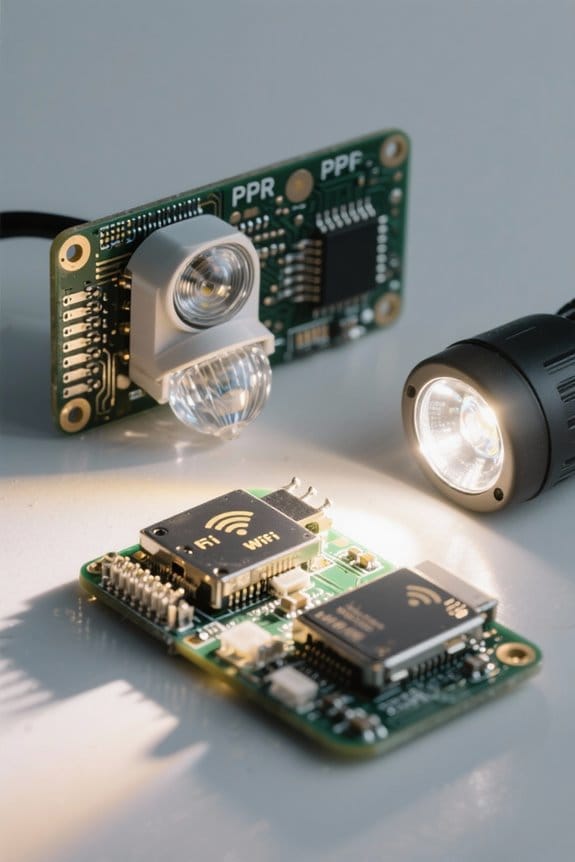
Because outdoor motion lighting serves both safety and energy objectives, the following numbered sections define available detection modes, recommended parameters, and practical application examples for typical residential and commercial installations. 1. Motion Mode: activates lights when movement is detected, ideal for nighttime security, set sensitivity to medium high, detection range 5 to 12 meters, delay off 30 to 180 seconds, suitable for driveways. 2. Light Mode: choose All-Day or Dusk to Dawn operation, useful where illumination is required, set ambient threshold to 10 to 30 lux, reduce activations. 3. Security Mode: flashes security lights and sends instant notifications, combine with video, set trigger and five to ten minute alert. 4. Settings: adjust sensitivity, range, and on/off schedules to minimize false alarms and enhance smart flood performance. Outdoor lights with high-sensitivity PIR sensors provide optimal security coverage, making them an essential component for effective motion detection.
Integrating Smart Lights With Voice Assistants and Home Hubs

1. Smart lights integrate with voice assistants and home hubs to centralize control, using WiFi and BLE Mesh for device discovery, where latency under 200 ms guarantees responsive motion-triggered activation across multiple fixtures. 2. Configuration requires the Aidot App to set brightness in lumens (for example 800–1600 lm), timing schedules, and lighting modes, then link accounts to Google Assistant for voice control, enabling commands such as “turn on porch light” and status queries. 3. Automation routines within Home hubs allow conditional triggers based on motion sensors, time of day, or presence detection, improving perimeter security. 4. Notifications are delivered to smartphones instantly, permitting remote verification and manual override when necessary. Integration supports up to 50 nodes, guaranteeing scalable coverage and simplified maintenance procedures consistently. Additionally, some solar motion sensor lights offer dusk-to-dawn functionality, providing automatic lighting adjustments based on ambient light levels for enhanced security and convenience.
Installation Tips for Reliable Motion Coverage
- Install motion detector units at 15–18 yards height-equivalent lines of sight, mounting sensors 6–8 feet above ground, so sensor detects movement, orienting them toward driveways and primary approach paths.
- Adjust sensitivity and placement to reduce false activations from vegetation and small animals, use three-axis adjustable floodlights with 450° rotation to aim beams while minimizing neighbor glare.
- Select IP65-rated outdoor lights and sealed housings to resist rain and dust, position wiring and conduit to prevent water ingress.
- For optimal energy efficiency, consider using LED technology in motion lights, as it significantly lowers energy usage compared to traditional bulbs.
- Integrate sensors with smart home apps for remote diagnostics and firmware updates, verify coverage with walk tests at varied distances and in low light conditions.
- Conduct recalibration after seasonal changes, document sensor orientation and sensitivity settings, retest during extreme weather to guarantee performance.
Using Schedules, Timers, and Presence Automation Effectively
How should schedules, timers, and presence automation be configured to balance energy efficiency, security, and user convenience in outdoor motion lighting systems? 1. Set schedules: Define active windows tied to local sunset and sunrise, restrict operation to night hours, use automated on/off scheduling in apps, and set examples such as 18:30 to 06:30 winter and 20:30 to 05:30 summer. 2. Configure timers: Adjust duration after motion is detected between 6 seconds and 60 minutes, choose short durations like 30 seconds for low-traffic areas, and longer intervals up to 10 minutes for entryways for outdoor use. 3. Enable presence automation: Use smart sensors or geofencing to trigger lights when occupants arrive after sunset, integrate with Alexa or Google voice control, and log events for tuning. Additionally, IP65-rated aluminum fixtures ensure weather resistance and durability for outdoor installations, which can be crucial for maintaining the longevity and performance of smart lighting systems.
Balancing Brightness, Color Temperature, and Neighbor Considerations
Why balance lumen output, correlated lux at target surfaces, and spectral content when configuring outdoor motion lighting for both security and neighbor consideration? 1. Assess lumen and lux targets, set floodlights to 300–800 lumens for pathways and 1,000–3,000 lumens for driveways, measure correlated lux at 1–2 meters above ground to guarantee facial recognition and deterrence. 2. Select color temperature deliberately, prefer 2700–3000K near residences to reduce skyglow, use up to 4000–5000K for task areas, avoid 6500K near property lines to minimize disturbance. 3. Configure motion detection zones and app schedules to limit activations, reduce false positives, and improve energy efficiency, while employing glare-reduction optics and directional shielding to preserve neighbor relations. Regularly audit settings with lux meter and neighbor feedback, adjust thresholds as needed. For enhanced security, consider models with PIR/microwave sensing capabilities that provide a detection range of up to 100 feet, ensuring comprehensive perimeter coverage.
Troubleshooting Common Connectivity and Sensor Issues
When diagnosing connectivity and sensor faults, technicians should begin with a systematic, prioritized workflow that verifies Wi‑Fi signal quality, firmware currency, and physical sensor installation before replacing hardware. Verify network and signal strength: measure Wi-Fi RSSI at device location, aim for −67 dBm or better, reposition router or device if weaker, use a 2.4 GHz band for legacy devices and test throughput. Apply firmware updates and app diagnostics for troubleshooting: check manufacturer app, install patches, record version numbers, reboot devices. Inspect motion sensor installation and calibration: confirm 20–30° downward angle, unobstructed 10–12 meter detection zone, adjust sensitivity to reduce false triggers, perform factory reset if persistent. Document steps, maintain logs, and escalate unresolved connectivity failures to manufacturer support with timestamps, diagnostics. Additionally, when selecting motion sensors, it’s important to prioritize sensors with a wide coverage range and adjustable sensitivity to ensure optimal performance and minimize false triggers.
Privacy, Safety, and Maintenance Best Practices
Although smart motion lighting systems increase situational awareness, administrators should enforce structured privacy, safety, and maintenance procedures, including configuration of sensitivity, notification, and data-retention policies. 1. Privacy controls: set motion sensitivity to medium or specific thresholds (e.g., 2–5 m detection range), limit data-retention to 30–90 days, and configure notifications to reduce extraneous alerts. 2. Safety integration: pair lights with cameras and alarms, establish failover schedules, and test response times under 2 seconds. 3. Maintenance routines: inspect sensors monthly, clean lenses with lint-free cloths, verify 15–45° downward angles, and remove obstructions within a 3 m radius. 4. Operational guidance: account for pets and wildlife when positioning sensors, log changes, and review incident reports weekly. Maintain audit logs and perform firmware updates quarterly for continued reliability. For optimal performance in outdoor settings, select motion sensor lights that offer weather compatibility to withstand moisture and temperature fluctuations.
Frequently Asked Questions
What Are Two Drawbacks of Using Motion Sensors?
Two drawbacks are false triggering issues and reduced reliability; sensor sensitivity adjustments often fail to prevent nuisance lights, while installation challenges, weather impact considerations and battery life concerns further compromise consistent motion-sensor performance and safety.
What Are the Three Settings on a Motion Sensor Light Outdoor?
They are Motion Mode, Light Mode, and Security Mode. Around 60% of homeowners prefer motion-activated lighting. The overview highlights motion sensor types, outdoor lighting options, installation tips, security features overview, and technology advancements for deterrence.
Are Motion Sensor Lights Good for Security?
Yes, motion sensor lights improve security: benefits of illumination deterring intruders and enhancing night visibility; they offer energy efficiency, support smart technology integration for alerts and scheduling, and following simple installation tips guarantees reliable coverage.
How to Reset Outdoor Security Lights?
Although some claim apps alone reset them, reset outdoor security lights by pressing fixture reset button, power-cycling breaker, or using app reset. They regularly review reset methods, troubleshooting tips, installation guides, energy efficiency, technology advancements.


