As an Amazon Associate, we earn from qualifying purchases. Some links on this site are affiliate links at no extra cost to you. Our recommendations are based on thorough research and editorial judgment.


How to Adjust Motion Sensor Sensitivity Without Constant False Triggers

1) Define: PIR sensitivity is the minimum IR temperature differential detected, typically 0.1–0.5°C, range 5–12 m, FOV 90–120°. 2) Adjust: use onboard potentiometer or DIP switches, or set low/med/high in app, mount at 2–2.5 m, angle downward 10–20°, avoid heat sources and pet paths. 3) Test: log for 24 hours, refine thresholds and zone masks, update firmware. Continue for step‑by‑step procedures and troubleshooting guidance. Detailed calibration steps, example settings for pets, and false‑alarm diagnostics follow.
Key Takeaways
- Lower the sensor sensitivity or switch to “medium/low” in device settings to reduce triggers from small temperature changes.
- Reposition sensor to 2–2.5 m height and angle it away from heat sources, windows, or busy walkways to avoid environmental false alarms.
- Define detection zones or use masking covers to exclude pet paths and moving foliage from the sensor’s field of view.
- Enable automatic gain control or firmware motion filters and increase debounce/timeout to ignore brief, insignificant movements.
- Log settings and test over 24–72 hours, then fine-tune sensitivity and zones based on recorded false-trigger patterns.
What PIR Motion Sensor Sensitivity Means
1. Definition: PIR Motion Detection Sensitivity denotes the sensor’s capability to detect changes in infrared radiation, quantified by minimal detectable temperature differential and effective detection volume. 2. Technical parameters: typical passive infrared sensors respond to temperature changes as small as 0.1–0.5°C, with detection ranges commonly between 5–12 meters and field of view spanning 90–120 degrees, which determines coverage and alert relevance. 3. Influencing factors: distance, angle, environmental temperature drift, and obstructions affect performance, consequently proper calibration and installation practices improve reliability and reduce false alarms. 4. Practical examples: situate sensors to avoid direct HVAC drafts and reflective surfaces, maintain clear line-of-sight, and verify coverage using thermal test sources. This secures consistent detection thresholds across conditions. It provides measurable benchmarks for system performance verification. Additionally, proper placement of motion sensor light bulbs, such as mounting heights between 8-12 feet, ensures optimal sensor performance and energy efficiency.
Can PIR Sensors Be Adjusted?

Adjustability of PIR sensors is standard in most security and automation installations, offering both manual controls, such as onboard potentiometers or DIP switches, and automatic mechanisms like automatic gain control (AGC) to tailor detection thresholds to site conditions. Overview: PIR sensors’ sensitivity settings can be configured to low, medium, or high, where low reduces detection range to approximately 3 to 5 meters, and high extends range to 8 to 12 meters, enabling detection of 0.1 to 0.3 °C thermal changes. Implementation: many units provide trim pots or DIP banks for threshold and pulse count adjustments, installers should document settings, and test at 1 to 2 m/s. Environmental considerations: placement, mounting height of 2 to 2.5 m, and ambient temperature gradients affect performance. Wireless and tool-free installation options, like magnetic or adhesive mounting, simplify setup for compact or hard-to-reach spaces, making them ideal for renters or temporary setups.
Recommended Products
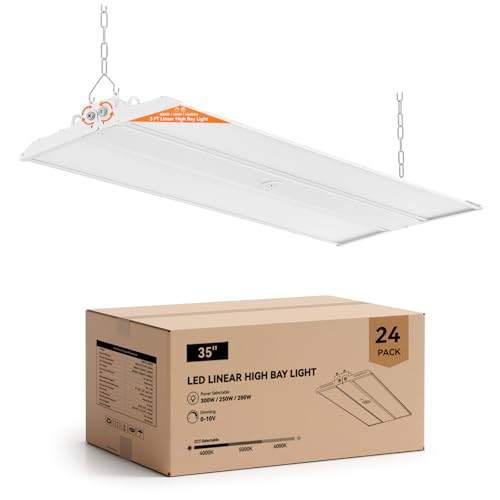
Ultra Bright: This adjustable linear LED high bay light delivers up to 45000 lumens at 150 lm/W with selectable 300W / 250W / 200W power levels and 4000K, 5000K, 6000K color temperatures, providing powerful illumination for warehouses and workshops

✅ 4-Tier Wattage & 35% Energy Savings— With four selectable wattages (400W/320W/240W/100W), this single product line covers full-scenario heights from 10–60FT, eliminating the need for mixed-model purchases. The "one product replaces multiple solutions" design precisely matches wattage to installation height, slashing energy consumption by over 35% and reducing maintenance time by 40%—ideal for large factories, warehouses, and facilities with varying ceiling heights.

Commercial-Grade Performance: Experience brighter, more efficient lighting with advanced backlight technology. This 2x4 led flat panel light up to 7500 lumens. led panel lights anti-glare lens guarantees long-term visual comfort and resists yellowing. Built with a reinforced aluminum frame and premium drivers for a 50,000+ hour lifespan.
Manual Vs Automatic Sensitivity Adjustment Methods
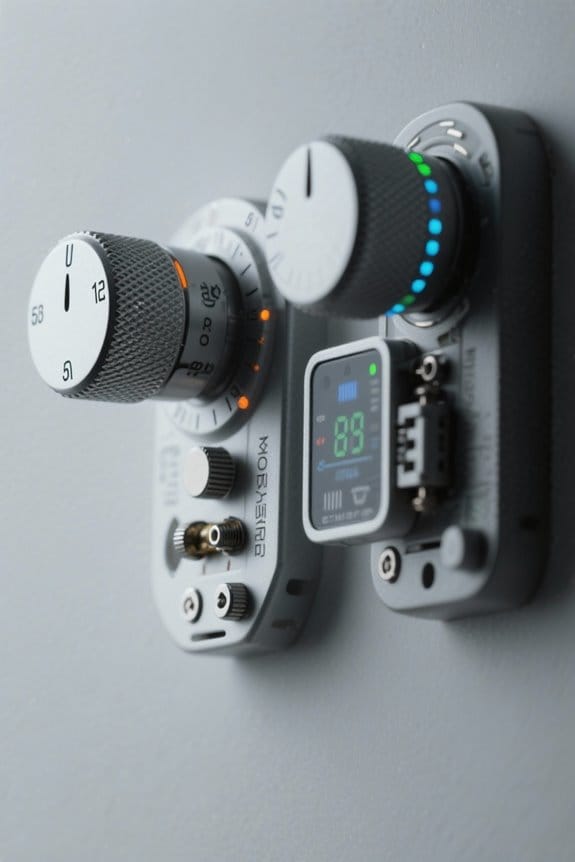
Why choose manual tuning versus automatic gain control for a PIR sensor depends on the application’s required detection fidelity, installation constraints, and acceptable false-alarm rate. 1. Manual methods: manual adjustments change potentiometer settings, resistor values, or microcontroller thresholds, allowing fine control to set detection ranges to 3 to 12 meters and filters to 0.5 to 5 seconds, useful in complex layouts with reflective surfaces. 2. Automatic methods: automatic adjustments use AGC or firmware routines to adapt gain and threshold continuously, reducing false triggers from temperature drift and IR fluctuations. 3. Comparative guidance: prefer manual adjustments for custom installations requiring ±10% accuracy, prefer automatic adjustments for multi-zone or public spaces for lower maintenance. 4. Implementation note: document settings, log events, verify with calibrated targets. Consider the pros and cons of different PIR motion sensor types to ensure the chosen solution aligns with environmental and operational needs.
Recommended Products

A occupancy sensor designed to replace standard light or fan switches; Ideal for high mounted areas such as warehouses and manufacturing and other commercial spaces.

Pair Outdoor 4 with Mini for coverage inside and out.

【Super bright & High efficiency】4FT 300W LED Linear High bay shop lights with motion sensor provides super bright daylight at an output of 28350 Lumens with high efficacy of 135lm/w. For greater energy savings, it has 1-10V dimmable function to meet various lighting requirements(Dimmer not included).
High, Medium, and Low Sensitivity Explained
Section 1.
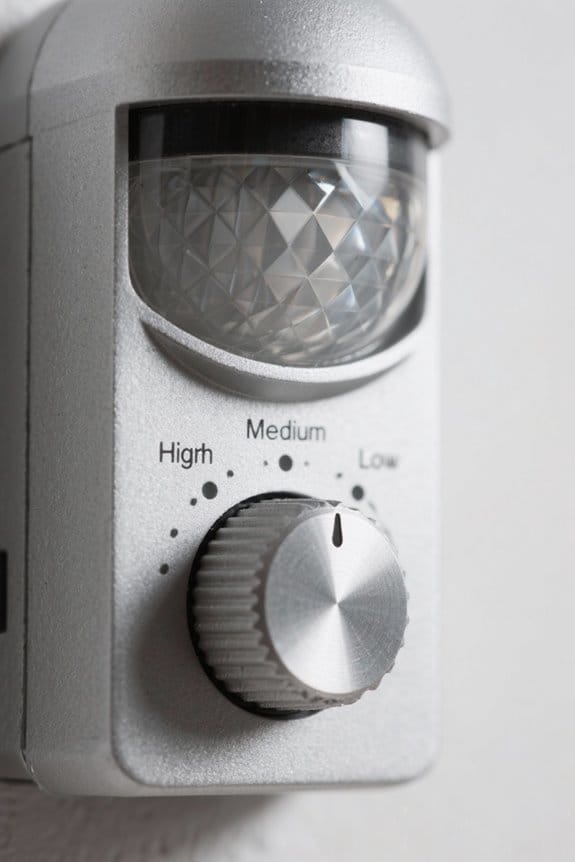
- High sensitivity: High sensitivity on PIR sensors detects minimal temperature differentials, extending detection range to several meters, useful for perimeter or entry monitoring, but increases false alerts and requires careful placement, such as 2–3 meter mounting height and 90–120° field alignment.
- Medium sensitivity: Medium sensitivity balances range and selectivity, typically 3–6 meter effective detection, suitable for general household rooms, it captures human movement while reducing nuisance triggers.
- Low sensitivity: Low sensitivity narrows detection to significant motion, often under 3 meter range, ideal for corridors and pet areas, it ignores small disturbances and decreases erroneous activations.
Some models offer adjustable sensitivity settings to help minimize false triggers, allowing users to tailor detection to their specific environment and needs. Installers should test settings quantitatively, log triggered events, and adjust incrementally. Document measured coverage in meters, record time-stamped false positives, and refine thresholds accordingly periodically.
Environmental Factors That Trigger False Alarms

How can environmental influences produce repeated false alarms in passive infrared (PIR) Motion sensors, and which specific conditions require corrective placement or shielding to maintain reliable detection? 1. Temperature and airflow: Rapid air temperature changes of 5–10°C within seconds, from HVAC vents or ceiling fans, can register as false events, so redirect vents or install baffles 30–50 cm away. 2. Direct radiant heat: Sunlight or radiators producing surface temperature differentials over 3°C against background require shading, use of IR filters, or repositioning beyond 2–3 meters. 3. Vegetation and curtains: Wind-driven motion within the sensor’s 90–120° field causes false detections, trim foliage or fit wind breaks. 4. Implementation note: Verify with a thermal camera, document changes, and retest sensitivity settings. Maintain logs for 30 days. Additionally, consider installing dual-PIR sensors which can minimize false triggers by using adaptive technology to better distinguish real motion from environmental changes.
Best Placement Practices to Reduce False Triggers
- Placement Height and Angle: Position PIR motion sensors at least 7 feet high to minimize pet triggers, orient the detection angle toward essential zones and away from streets or walkways to reduce false positives, adjust tilt so the sensor’s field covers target areas while excluding low-traffic paths.
- Avoid Environmental Disturbances: Install sensors away from ceiling fans, heating vents, trees, bushes, and other vegetation that can move, these sources create thermal or motion fluctuations that increase Sensitivity-related false alarms.
- Maintenance and Adjustment: Regularly inspect for obstructions, verify line of sight, and re-locate or re-angle units after landscaping or HVAC changes to sustain peak performance.
- Practical Example: Mount on 90-degree corner 7-8 feet, aim down at 45-degree angle, which will reduce overlap.
- For larger areas, consider using solar motion lights with higher lumens (2,500-3,500 lm) to ensure adequate coverage and minimize false triggers in expansive spaces.
Recommended Products

Flexible Local & Cloud Storage: The security camera system comes preloaded with a 64GB memory card, giving you up to 120 days of loop recording with no monthly fees. You get reliable, secure local storage right out of the box, with support for up to 256GB. Optional cloud storage is also available for additional backup and AI analysis

Ultra-Bright Energy Efficiency: Replaces up to 1000W HID, T8, or T5 fixtures with high-output options of 300W (46,300 lumens), 260W (40,950 lumens), and 260W (36,950 lumens) at 5000K, providing substantial brightness and energy savings for large, high-ceiling spaces.

✅ 40% Enhanced Central Illumination & Superior Brightness— Featuring a dense multi-LED linear array, this 300W high bay light delivers a continuous light band that eliminates point-source brightness gradients, boosting central light intensity uniformity by 40%. With 150 lm/W efficacy and 45,000 lumens of 5000K daylight white light, it precisely directs illumination to work areas—cutting light waste in non-operational zones. Compared to UFO high bay lights, it reduces energy consumption by 15–20% at the same illuminance level, ideal for large factories, warehouses, and workshops.
Using Motion Zones and Smart Detection Features
Overview: Motion Zones and Smart Detection provide targeted monitoring, reducing false alerts by excluding predefined areas and applying classification filters that distinguish humans, pets, and vehicles within a camera’s field of view. 1. Zone configuration: Define polygons covering nonrelevant areas, for example a 3m×2m roadside strip, exclude moving foliage, and prioritize 1–3 critical zones for entryways. 2. Detection modes: Enable PIR Motion sensor coupling for thermal confirmation, and activate Smart Detection to classify humans, pets, and vehicles, sending alerts only for selected classes. 3. Maintenance and tuning: Review weekly logs, adjust zone boundaries by ±0.5m when needed, update firmware, and document sensitivity changes to sustain reliable, low‑noise operation. LED lights offer high energy efficiency, with ratios of 100-150 lm/W, making them ideal for reducing energy consumption while maintaining brightness. This approach reduces nuisance alarms and supports prompt, relevant notifications for verified incidents over time with monitoring.
Recommended Products

Ultra High Definition 6K 12MP (4512x2512) SIX TIMES the resolution of 1080P! 64 Channel H.265+ 12MP NVR Security Camera System with (32) 6K 12MP Weatherproof 145° Diagonal Wide FOV H.265+ Starlight Color Night Vision PoE IP Dome Cameras (Built-in Microphone)

Ultra High Definition 12MP (4000x3000) SIX TIMES the resolution of 1080P! 64 Channel H.265+ 12MP NVR Security Camera System with (32) H.265+ 12MP 4K @ 30fps Real-Time Weatherproof 2.8mm Wide Angle PoE IP Dome Cameras (Built-in Microphone)

Ultra High Definition 4K (3840x2160) FOUR TIMES the resolution of 1080P! 64 Channel H.265+ 12MP NVR Commercial-Grade Security Camera System with (48) H.265+ 4K (8MP) @20FPS Weatherproof 2.8mm Wide Angle PoE IP Full-Time Color Night Vision Bullet Cameras (Built-in Microphone)
Step‑by‑Step Guide to Tuning Sensitivity and Testing
- Access settings and locate the sensitivity adjustment feature in the device app, this initial step allows selection among sensitivity levels, typically high, medium, low, and provides access to motion zones and logging controls.
- Select and implement a starting level, choose low for high-traffic environments or medium for mixed use, record the baseline configuration with timestamps and angle measurements, for example 30° tilt, 6–8 meter range.
- Test each setting for at least 24 hours, monitor the frequency of false triggers, and maintain a detailed log noting time, cause, and environmental conditions.
- Iterate adjustments, refine zones to exclude pet paths, and verify ideal balance between detection accuracy and nuisance alerts. Keep reviewing logs weekly, adjust sensitivity and placement, and schedule monthly recalibration.
- Consider using motion sensor lights with adjustable sensitivity and timeout settings to enhance user control and minimize false triggers.
When to Replace or Upgrade Your Motion Sensor
- Evaluate failure after repeated adjustment, if sensitivity tuning and placement changes do not reduce false triggers, replacement is warranted, especially when sensors are older than five years or exhibit intermittent response.
- Choose upgraded PIR modules with specified detection range of 6–12 meters, adjustable threshold voltage, and 10–60 second retrigger lockout; these reduce noise and improve reliability in high-traffic zones.
- Match sensors to environment: select pet‑immune models for animals under 25 kg, or outdoor-rated units with IP65 sealing for exposed installations.
- Follow manufacturer lifecycle guidance, review firmware updates and user reviews, document performance pre- and post-upgrade, and test using calibrated motion sources to confirm reduction in false triggers. Consult a certified installer when replacing sensors to guarantee compatibility and correct integration.
- Adjust motion sensors to minimize false alarms from small animals or environmental factors like wind, ensuring optimal performance and reduced unnecessary activation.
Recommended Products

An ideal 360 degree high bay occupancy sensor for high mounted areas like warehouses, manufacturing and other commercial spaces designed to replace standard light or fan switches
Honeywell Sensors SIXPIR

OCCUPANCY LIGHT SWITCH: Passive Infrared (PIR) occupancy detection, uses infrared signals to detect moving objects, to automatically turn ON/OFF lights. PIR motion sensor a bright LED indicator when the activated motion
Frequently Asked Questions
Can Motion Sensor Sensitivity Be Adjusted?
Yes. It notes that motion sensor settings allow adjustable sensitivity; sensitivity tuning via manual controls or automatic gain control tailors detection thresholds, balancing pet immunity and environmental noise to reduce false triggers while preserving alerts.
Why Is My Motion Sensor Giving False Detections?
Occasional over-enthusiasm often means the device mistakes environmental cues—temperature shifts, headlights, pets—for motion; improper sensor placement or high sensitivity consequently yields false triggers, prompting repositioning and calibration to reduce nuisance alerts and unnecessary alarm reports.
How to Make a Motion Sensor Less Sensitive?
They reduce sensitivity by setting the device to low, adjusting sensitivity controls, angling or raising sensor placement to limit field of view, and relocating away from heat sources, vents, sunlight to minimize unnecessary false triggers
How Do You Adjust PIR Sensitivity?
The installer adjusts PIR sensitivity by locating the PIR sensor settings and using the dial or potentiometer, applying sensitivity adjustment techniques, considering environment, testing multiple levels, and allowing several days to verify reduced false triggers.


